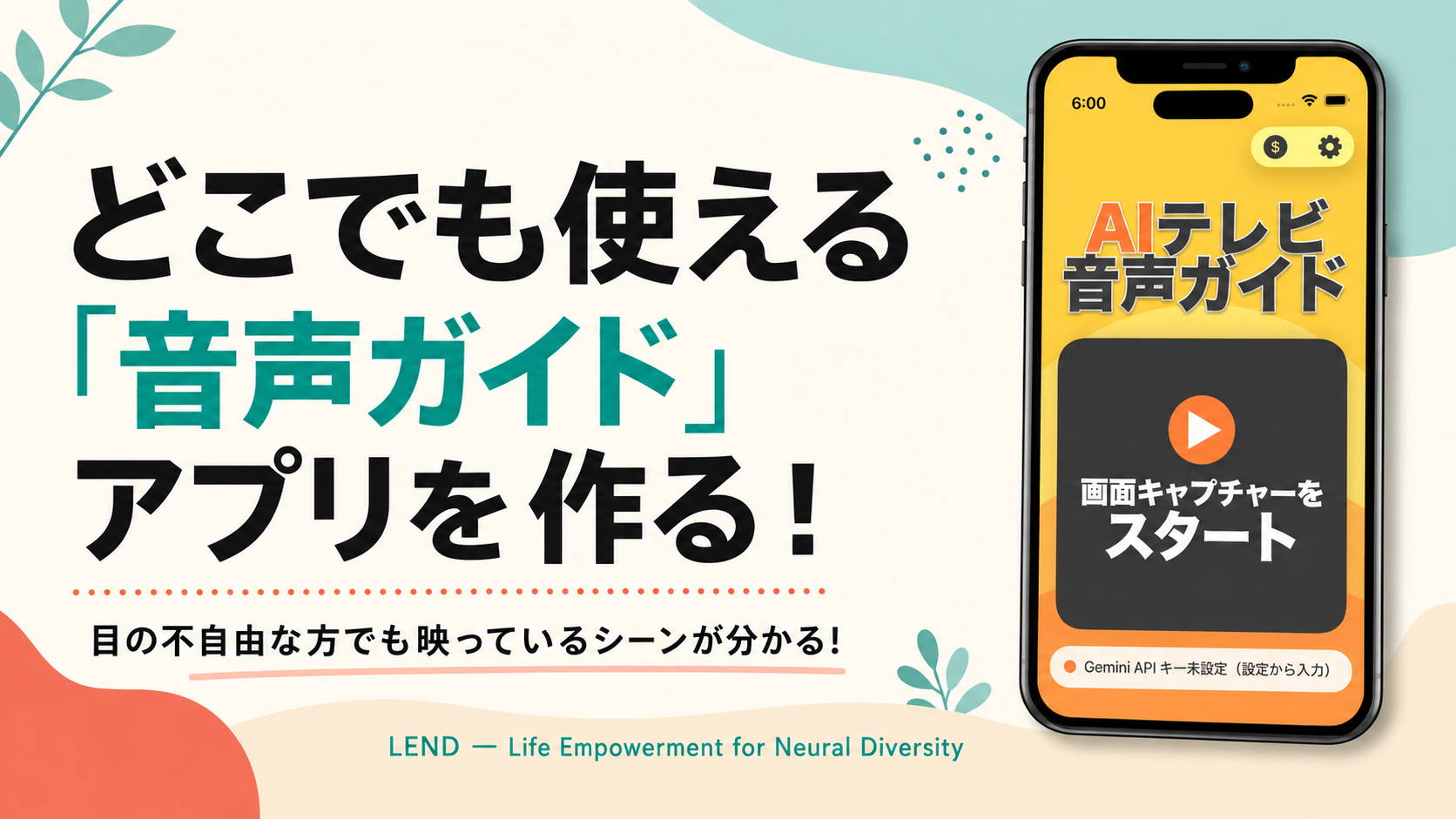
The challenges we're tackling this time
- Not knowing what kind of scene is playing in a drama
- Wanting to know instantly "what just happened?"
- Wanting Japanese subtitles read aloud
Lately, more and more movies and shows on streaming services like Netflix come with audio description. It's a feature that uses brief narration to explain characters' movements and the setting for viewers with visual impairments. But it isn't available for every title.
So we're going to use an AI model that's good at analyzing video to build an "AI TV Audio Guide." You point your phone at the TV screen, and whenever there's a major scene change, it gives you a short spoken description like "A man and a woman standing at the entrance of a brightly lit shopping mall" or "A dim room with several computers lined up." If your phone can narrate for you, you can enjoy movies and shows anytime, anywhere.
The app we're building
So you can casually point it at a TV, computer, or tablet screen anywhere, we'll make this an iPhone app. The computer, AI tools, and other things you'll need for development are covered in detail in the next article, "What You Need to Build an iPhone App with AI (Keep This One Handy)."

What this app can do
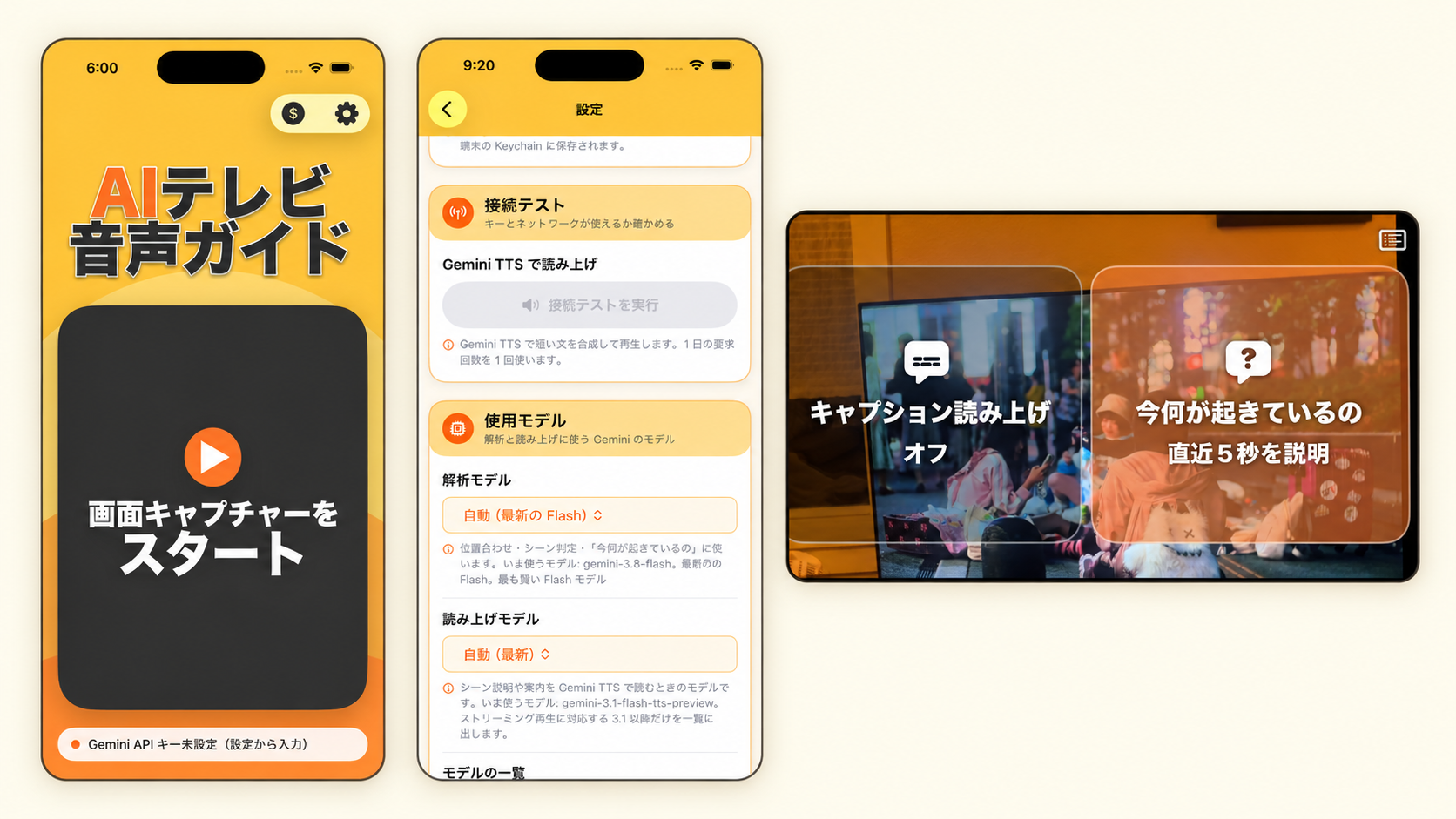
🔵 Audio description
Having narration every time the camera cuts would be more annoying than helpful, so the app speaks up only when there's a major scene change.
🔵 A "What just happened?" button
When a conversation continues in the same room, there may be no big scene change — but you still want to know what's going on. Whenever the user wants, they can tap a button and get a quick description of what's been happening over the last five seconds.
🔵 Reading Japanese subtitles aloud
I have a visual impairment myself. I can just about make out what's on a TV screen, but when Japanese subtitles appear, I can't read them at all. When a show like VIVANT has dialogue in an invented language, I'm completely lost (I can't understand it by ear either). So we're also adding a feature that reads subtitles aloud, quickly, at the press of a button.
How we'll approach development
If you've never built an app before, you probably have no idea where to even start with something like a smartphone app. But once your development setup is ready, all you need are the instructions (prompts) we'll give you to hand to the AI — and you can have this app generated in about 30 minutes. Once you've been through the process once, you'll be able to turn your own ideas into apps one after another. So please, get over that first hill with us!
Here's how this series will proceed from here.
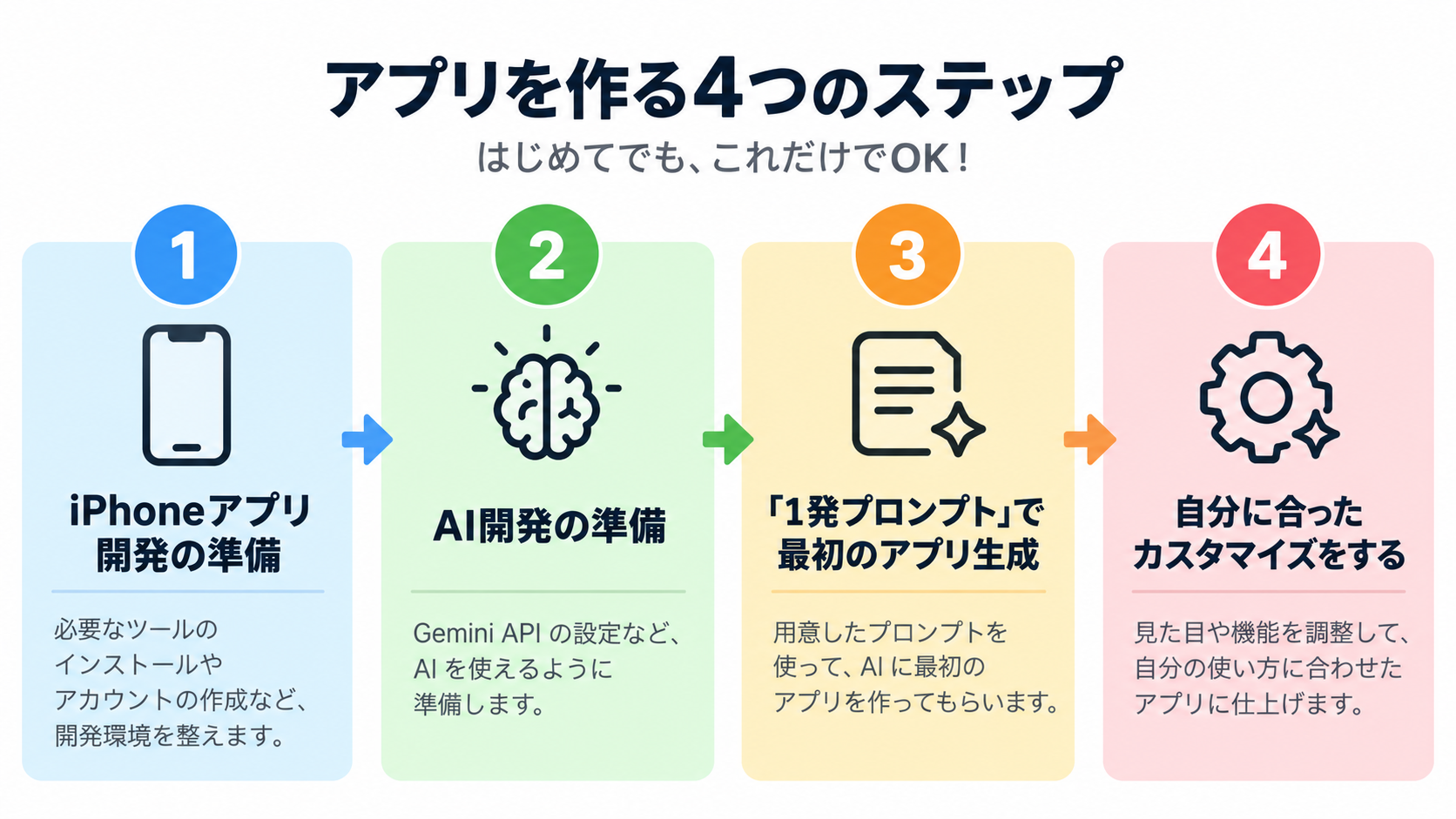
First, let's go over what you need and what you'll do to build an iPhone app.